
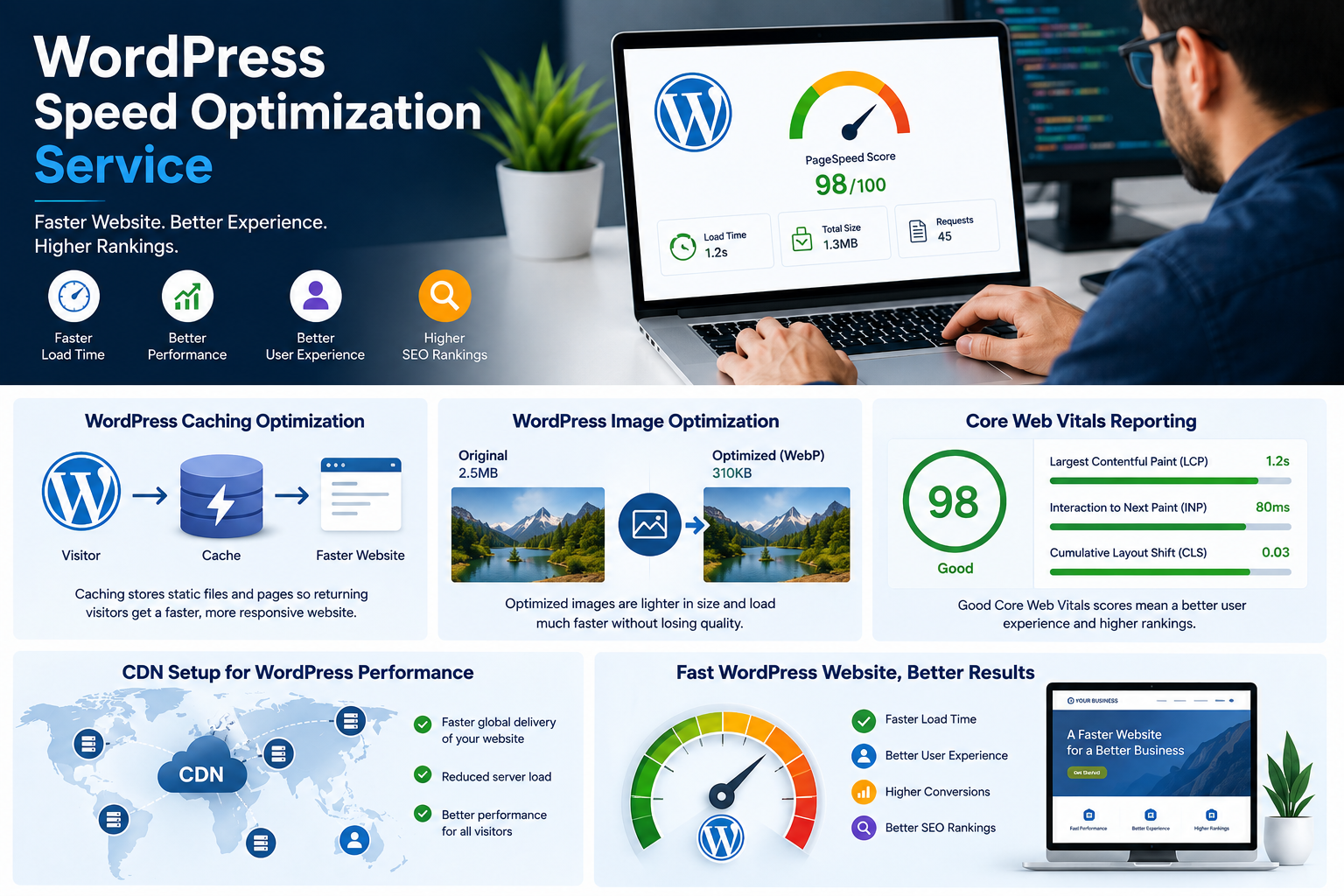
WordPress Speed Optimization Service: What You Actually Need in 2026
A WordPress speed optimization service helps improve your website’s loading speed, performance, and user experience. A slow WordPress website can frustrate visitors, reduce conversions, and affect your overall online performance.
Ever clicked away from a site because it just wouldn’t load? Your visitors can do the same to you.
A slow WordPress site isn’t just annoying. It can hurt user experience, conversions, and search performance.
At Web Dream Agency, we don’t treat speed as an afterthought. We build performance into the websites we design and maintain — especially for clinics, real estate teams, and local service businesses.
Here’s what a proper WordPress speed optimization service actually involves and what you should check before hiring a provider.
What’s Included in a WordPress Speed Optimization Service?
A thorough WordPress speed optimization service usually covers several areas. Fixing only one issue, such as caching, isn’t always enough to deliver consistent performance.
WordPress Speed Optimization: Caching
Page and browser caching can reduce loading times for returning visitors. Depending on the hosting environment, we may use WP Rocket or LiteSpeed Cache.
WordPress Speed Optimization: Image Optimization
Large images are one of the most common causes of slow WordPress websites. Images can be compressed, resized, and converted to modern formats such as WebP or AVIF.
WordPress Speed Optimization: Database Optimization
WordPress databases can accumulate old post revisions, expired transients, spam comments, and other unnecessary data. Cleaning this data helps keep the database lean.
WordPress Plugin Optimization
Plugins can add scripts, styles, and database queries to your website. We audit installed plugins and identify unnecessary or performance-heavy plugins.
WordPress Performance Optimization: CSS and JavaScript
Minifying CSS, JavaScript, and HTML can reduce the amount of data browsers need to download. We can also optimize asset loading and reduce render-blocking resources where appropriate.
CDN Setup for WordPress Speed Optimization
A Content Delivery Network such as Cloudflare can deliver static resources from servers closer to visitors. This can be especially useful for websites with visitors in different regions.
One-Time WordPress Speed Optimization or Ongoing Care?
There are two common ways to approach WordPress speed optimization.
One-Time WordPress Speed Optimization
A one-time optimization project focuses on the problems affecting your website right now. It can include caching, image compression, database cleanup, plugin optimization, and front-end performance improvements.
Ongoing WordPress Speed Monitoring
Ongoing care monitors performance as you add new pages, plugins, images, and functionality.
For growing businesses, ongoing monitoring can help identify new performance problems before they become serious.
How to Choose a WordPress Speed Optimization Service
Before hiring a provider, ask for three things.
WordPress Speed Optimization Performance Targets
Avoid vague promises such as “we’ll make your website faster.” Ask what metrics will be measured before and after optimization.
Staging Testing for WordPress Optimization
Performance changes should ideally be tested on a staging copy before being applied to your live website. This reduces the risk of breaking important functionality.
Core Web Vitals Reporting
Ask for before-and-after performance reports using relevant metrics such as Google Core Web Vitals and Google PageSpeed Insights.
Why We Rely on LiteSpeed Cache
Not every caching plugin works the same way. On compatible hosting environments, LiteSpeed Cache for WordPress can be a powerful option for WordPress performance optimization.
It supports caching, image optimization, CSS and JavaScript optimization, database cleanup, and WooCommerce-related performance features.
For clients using hosting without LiteSpeed, we can use alternatives such as WP Rocket alongside manual database and asset optimization.
The plugin itself isn’t the goal. The goal is to achieve reliable performance within the limits of the website and hosting environment.
DIY vs. Professional WordPress Speed Optimization
If your budget is limited, you can start with some basic improvements yourself.
Caching, image compression, and removing unnecessary plugins can produce noticeable improvements on some websites.
However, more complicated problems can involve database queries, plugin conflicts, JavaScript execution, hosting limitations, or poorly optimized themes.
That’s where professional optimization can become useful.
How Our WordPress Speed Optimization Service Works
We treat WordPress speed optimization as part of good website development rather than something that should be added at the end.
Our optimization process can include:
- Caching configuration
- Image optimization
- Database cleanup
- Plugin and theme optimization
- CSS and JavaScript optimization
- CDN configuration
- Core Web Vitals testing
- Before-and-after performance reporting
If your WordPress website has become slow, Web Dream Agency can identify the main performance bottlenecks and recommend the right fixes before you commit to a larger project.
Frequently Asked Questions
How much does WordPress speed optimization usually cost?
The cost depends on the website’s current condition, hosting environment, number of pages, plugins, and the amount of work required. A simple optimization project may cost less than a complex website requiring extensive technical changes.
Will speed optimization break my website?
Properly tested optimization should minimize this risk. That’s why staging testing is useful before making significant performance changes to a live website.
How fast should my WordPress website load?
There isn’t one universal loading-time target for every website. A useful goal is to improve real-world loading performance while meeting Google’s recommended Core Web Vitals thresholds.
Can I optimize WordPress speed myself?
Yes. Image compression, caching, and removing unnecessary plugins can help. More complex performance problems may require technical analysis.
What are Core Web Vitals?
Core Web Vitals are Google’s user-focused metrics for loading performance, interactivity, and visual stability. They include metrics such as LCP, INP, and CLS.
Is WP Rocket or LiteSpeed Cache better?
It depends on your hosting environment. LiteSpeed Cache can take advantage of LiteSpeed server technology, while WP Rocket is designed to work with a wider range of hosting environments.
How long does a speed optimization project take?
A simple optimization project may take a few days, while larger websites can require more time for testing, troubleshooting, and implementation.
Do I need a CDN if I already have caching?
A CDN and caching solve different performance problems. A CDN can help deliver static resources closer to visitors, while caching can reduce the work required to generate pages.
Will speed optimization improve my Google rankings?
Improving website performance can support a better user experience and help with Core Web Vitals. However, speed is only one part of Google’s broader ranking systems and doesn’t guarantee higher rankings.
How often should WordPress databases be cleaned?
There isn’t one fixed schedule for every website. Active websites that frequently publish or update content may benefit from regular database maintenance.
Can too many plugins slow down WordPress?
Yes. The number of plugins isn’t the only factor, but poorly coded or resource-heavy plugins can increase page load times and server processing.
Is a one-time speed optimization enough?
It can solve current performance problems, but websites change over time. New plugins, images, content, and functionality can introduce new performance issues, so ongoing monitoring can be useful for growing websites.
Need WordPress Speed Optimization?
A slow WordPress website can affect user experience, conversions, and overall website performance.
If you want to find out what’s slowing your website down, Web Dream Agency can review your site and identify the most important performance issues before you decide what to fix.